Everything You Need to Know to Join the CLX Program
Cloud computing is increasingly growing across all industries, setting newer and better employment prospects.

Cloud computing is increasingly growing across all industries, setting newer and better employment prospects. Professionals with the roles of developers and cloud architects, as well as security professionals and data scientists, are all candidates for these positions. With the help of the CLX program, attendees can get the practical knowledge, skills and confidence needed to pass the Microsoft Azure Fundamentals certification exam.
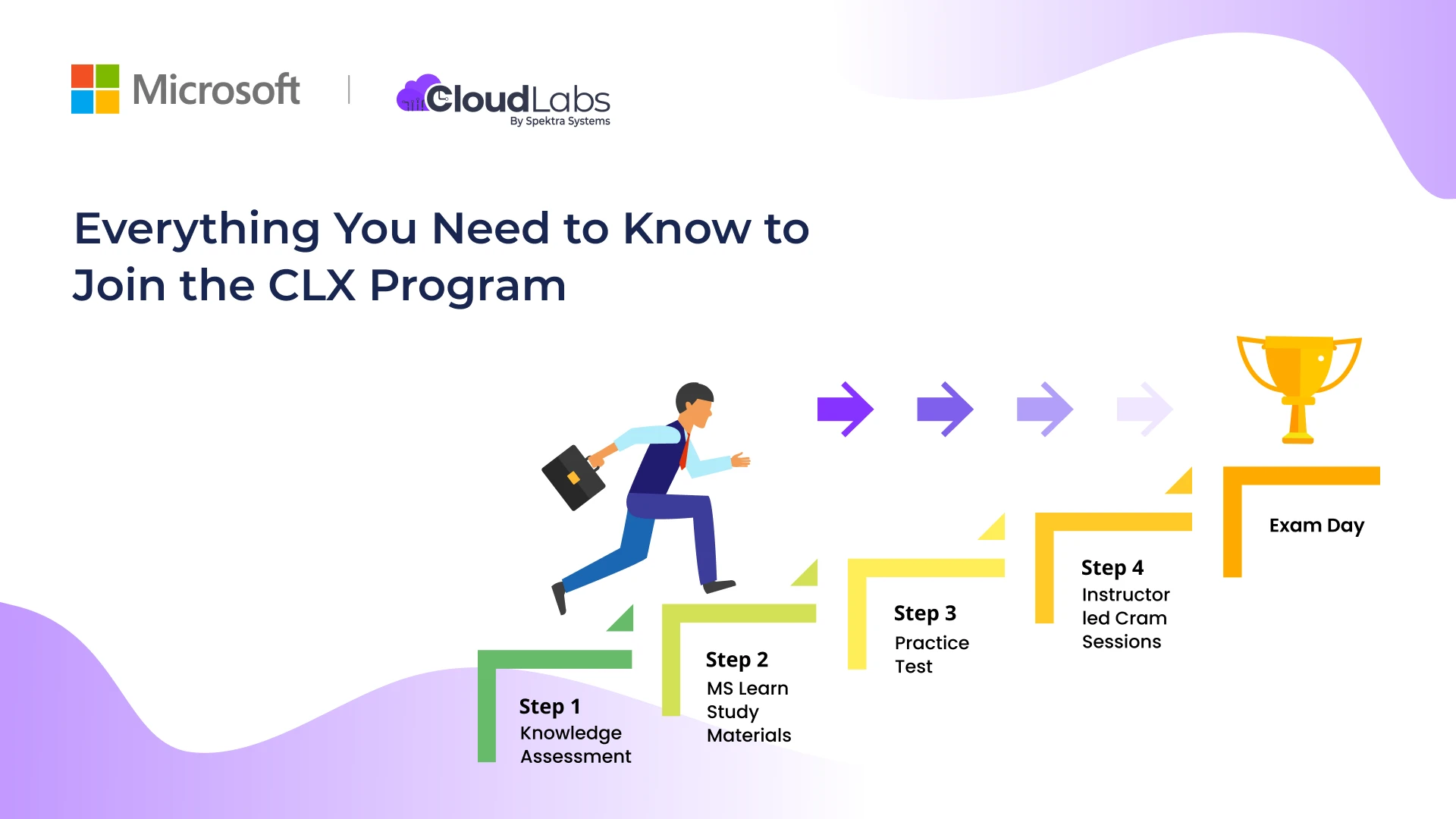
The Microsoft Connected Learning Experience (CLX) Program consists of four steps that will act as the pillars to achieving Azure Fundamentals certification. The content of this program focuses on providing a personalized learning path based on the skills each attendee possesses and is tightly aligned to the AZ-900, AI-900, DP-900, AZ-104, AZ-800, AZ-801, DP-300 ,DP-420 and AI-102 certification exam objectives.
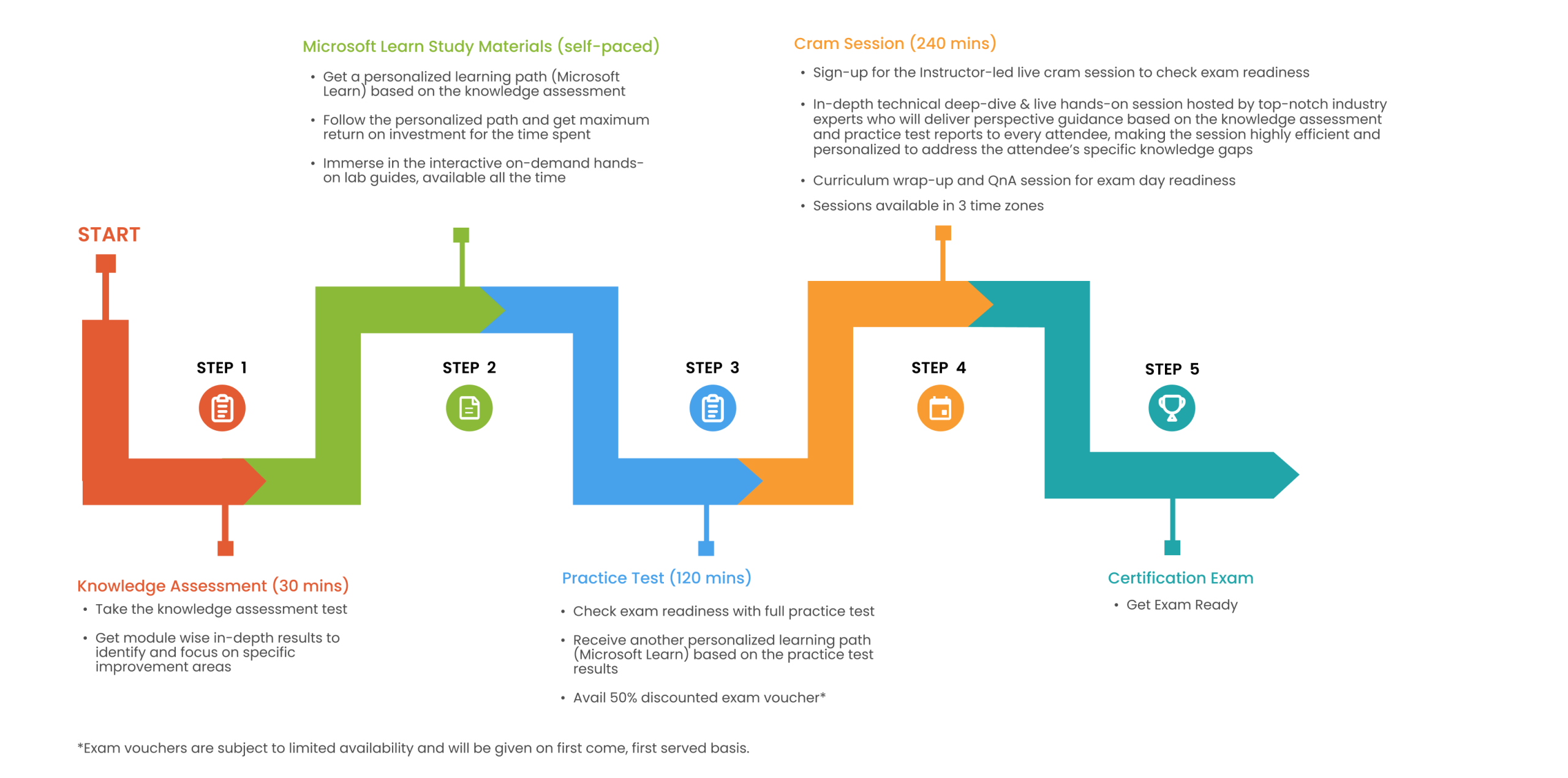
It offers an efficient path for every attendee, providing crucial insights on improvement areas by simply taking the Knowledge Assessment test and Practice Test. Attendees can further improve their knowledge with the help of specific MS Learn study materials that are relevant to them.
This is a multi-day program, that also includes 4-hours of instructor-led live cram sessions where every attendee will receive perspective guidance based on their knowledge assessment and practice test reports
Every qualifying attendee will also receive a free exam voucher for every certification Track they successfully complete
Save your valuable time and prepare the right way! And with expert guidance.
Live cram sessions starting from April 22nd
To check available sessions or for any other information visit: https://clx.cloudevents.ai
Keep reading this article to learn more about Microsoft CLX program, comprehensive details, how it works and how the users can join the event to experience a new way of learning.
Choose your Tracks and start preparing, it’s that simple
Who is this program for?
CLX program is for ideal learners who want to take the certification exams for Microsoft Azure Fundamental courses such as AZ-900, AI-900, and DP-900.
What are the benefits of CLX Program?
As a learner, you can leverage the following benefits with the CLX Program:
- Customized learning path based on your certification track selections & your learning capabilities
- Module wise in-depth results to help you focus on improvement areas
- 4 hours of instructor-led cram sessions available in 3 different time zones
- Free exam vouchers for qualifying participants
What are the courses present at the program?
There are three Microsoft Azure Fundamental courses present in the CLX Program, including:
- AZ-900: Microsoft Azure Fundamentals
Azure Fundamentals exam tests your knowledge of cloud concepts, Azure services, Azure workloads, security, and privacy in Azure, as well as Azure pricing and support. To pass this exam, candidates should be familiar with the general technology concepts, including concepts of networking, storage, compute, application support, and application development.
- AI-900: Microsoft Azure AI Fundamentals
Azure AI Fundamentals exam is an opportunity to demonstrate your knowledge of common ML and AI workloads and how to implement them for Azure.
This exam is intended for candidates with both technical and non-technical backgrounds. Experience in data science and software engineering is not required; however, some general programming knowledge or experience would be beneficial.
- DP-900: Microsoft Azure Data Fundamentals
Azure Data Fundamentals exam is intended for candidates beginning their professional journey with data in the cloud.
Candidates for this exam should have foundational knowledge of core data concepts and how they are implemented using Microsoft Azure data services. Familiarity with the concepts of relational and non-relational data, and different types of data workloads such as transactional or analytical is required.
- AZ-104: Microsoft Azure Administrator
Applicants require subject matter expertise to be eligible for this exam. The primary role of an Azure administrator is to implement an organization’s cloud infrastructure. They also handle some parts like Azure networking, security, database, application development, and DevOps solutions.
The candidates must have familiarity with managing, implementing, and monitoring an organization’s Microsoft Azure Environment, including virtual networks, storage, compute, identity, security, and governance.
They should have a robust grip on operating systems, networking, servers, and virtualization. An additional experience of using PowerShell, Azure CLI, the Azure portal, and Azure Resource Manager templates (ARM templates) will be beneficial.
- AZ-800: Administering Windows Server Hybrid Core Infrastructure
The candidates for this exam must have the knowledge of overseeing the configuration of on-prem Windows Servers, hybrid, and Infrastructure as a Service (IaaS) platform workloads. They must have the skills to manage and maintain Windows Server IaaS workloads in Azure and manage and deploy workloads to Azure.
This role typically is based on different administrative tools and technologies such as Windows Admin Center, PowerShell, Azure Arc, Azure Policy, Azure Monitor, Azure Automation Update Management, Microsoft Defender for Identity, Microsoft Defender for Cloud, and IaaS VM administration.
- AZ-801: Windows Server Hybrid Advanced Services
The candidates for this exam are accountable for configuring and managing Windows Server on-premises, hybrid, and Infrastructure as a Service (IaaS) platform workloads.
Must-have skills for this exam are-
- The ability to monitor Secure Windows Server on-premises and hybrid infrastructures
- Implement and manage Windows Server high availability
- Implement disaster recovery
- Migrate servers and workloads
- Monitor and troubleshoot Windows Server environments and so on.
- DP-300: Administering Microsoft Azure SQL Solutions
This exam is designed for Database administrators who can handle on-premises and cloud databases developed using SQL Server and SQL database services. Candidates must be well-equipped with subject matter experience in designing database solutions designed to handle multiple workloads built with Azure SQL database services.
- DP-420: Designing and Implementing Cloud-Native Applications Using Microsoft Azure Cosmos DB
Candidates for this exam must have subject matter expertise in designing, implementing, and monitoring of cloud-native applications that store and manage data.
How does the CLX program work?
The CLX program consists of 4 steps. They are listed below:
- Knowledge Assessment
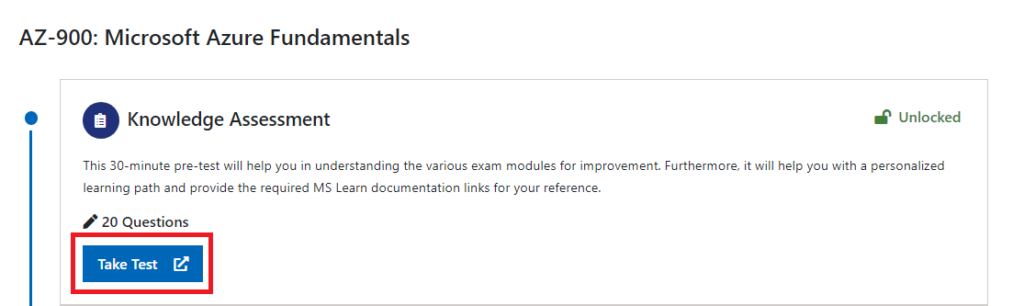
This 30-minute pre-test will help you in identifying and understanding the various exam modules for improvement. Furthermore, it will help you with a personalized learning path and provide the required MS Learn documentation links for your reference.
- MS Learn study materials
Based on the knowledge assessment taken, an individual learning path will be generated for you. This learning path will be personalized and will enable you to focus on the concepts that require improvement the most.
- Practice Test
This 2-hour practice test is designed to give you a complete experience of the actual certification exam. This test includes various types of questions from all modules with appropriate weightage. Complete answer keys along with their explanations and reference links will be provided at the end of the test.
- Cram Session
This is a virtual instructor-led interactive training session that will enhance your knowledge and skills needed to pass a Microsoft Azure Certification Exam.
These four-hour sessions will cover the full syllabus of a course and will be delivered once every week starting from 22nd April 2022.
Once the four stages are complete, you will find yourself fully prepared to take the actual certification exam.
How to join the CLX program?
Here is a step-by-step guide to help you join the Microsoft CLX program.
Steps to register/sign in
How to create a Microsoft account using any email id?
- Open a web browser and head to the Microsoft CLX home page: https://clx.cloudevents.ai and click on Register/Sign In button.
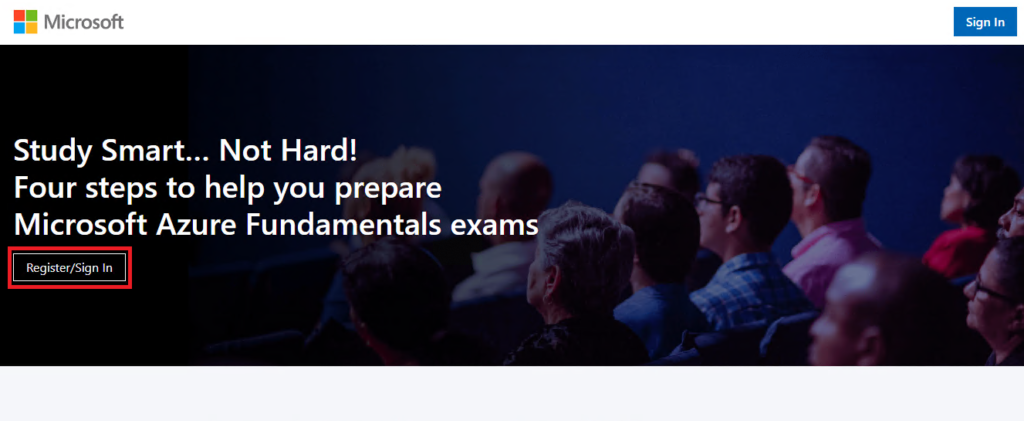
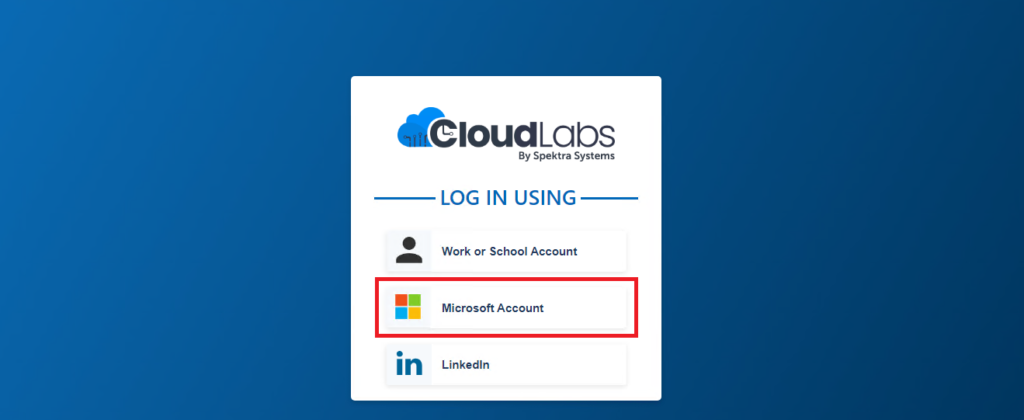
- On the Log in page, click on Microsoft Account and the Sign in page will appear.
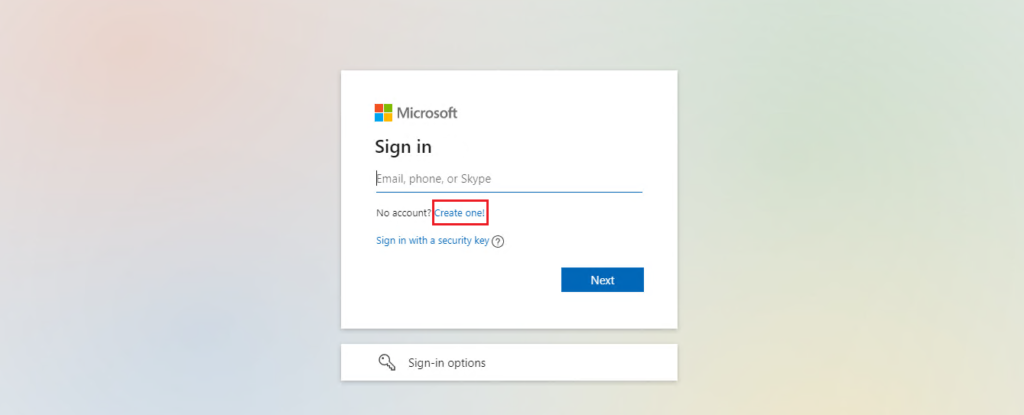
- On the Sign in page, click on Create one! option to create a new account.
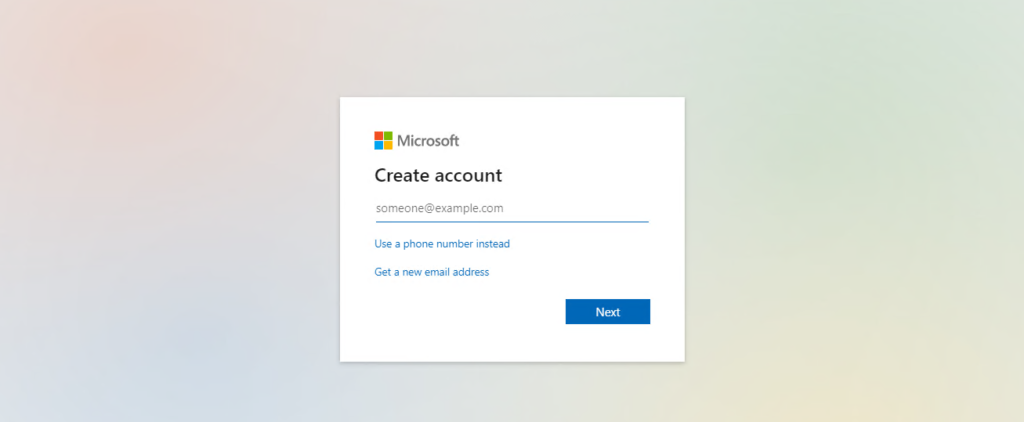
- On the Create account page, enter your existing email address (any email address), and click on the Next button.
Follow the on-screen instructions to create a password and enter your details on the pages that follow.
Once you’ve entered all your details and verified your email, your Microsoft account will be created.
Steps to sign in for users having a Microsoft account
- Open a web browser and head to the Microsoft CLX home page: https://clx.cloudevents.ai
- Click on Sign In.

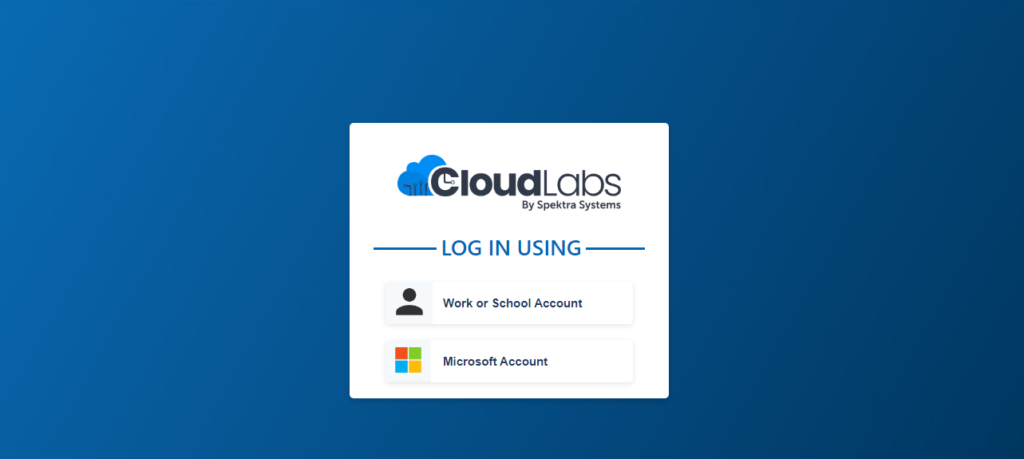
- Sign in using one of the two options.
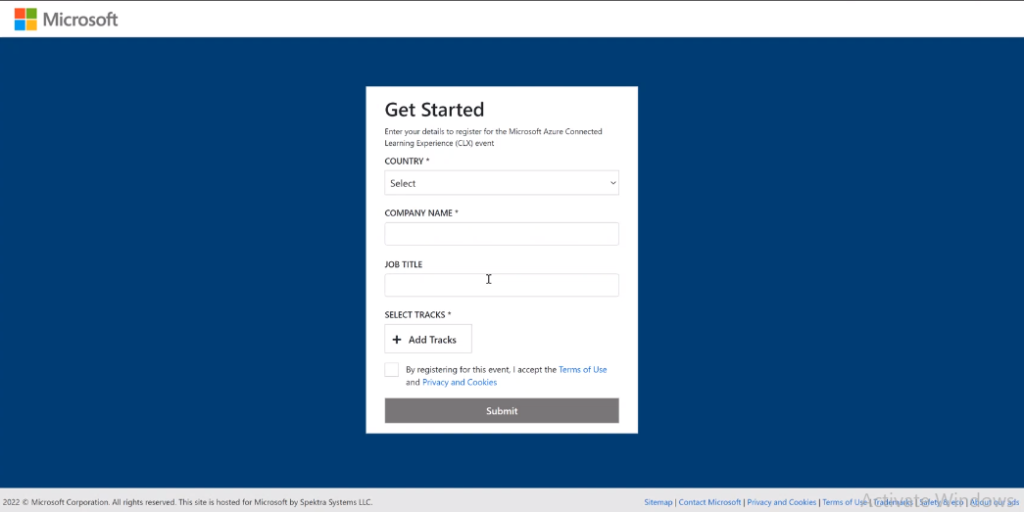
- Get Started window will be opened. Fill all the details and select at least one track by clicking on +Add Tracks. Click on Submit to complete the sign in process.
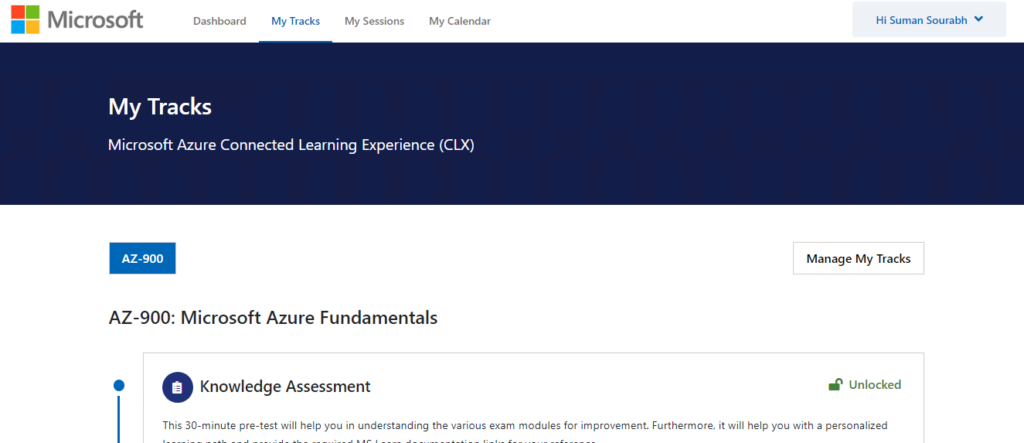
- Once you sign in, My Tracks page will be opened, and it will display all the tracks that you have selected.
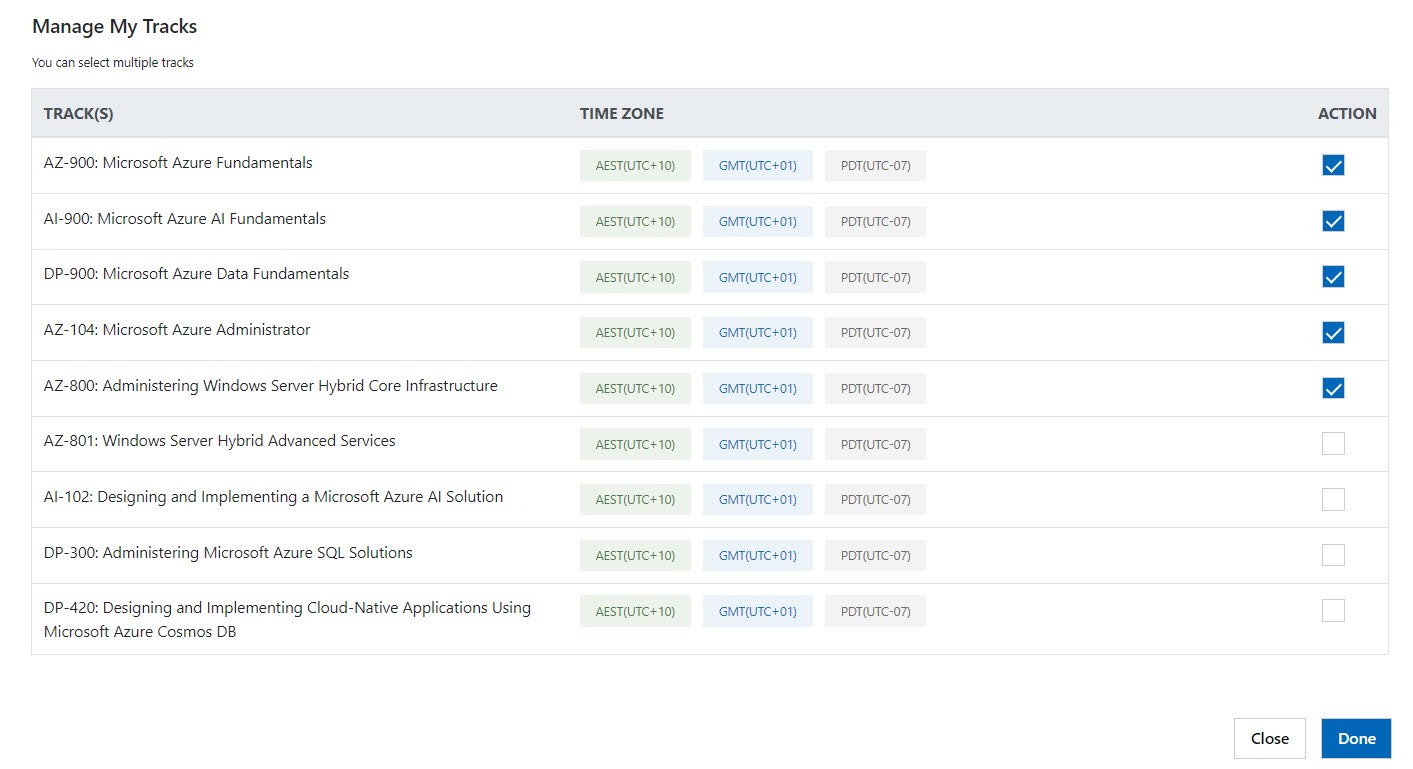
How to add/manage tracks?
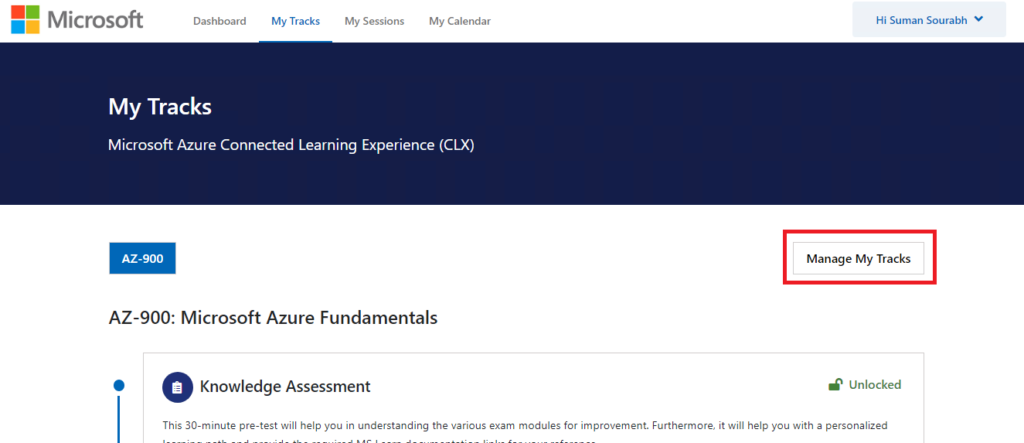
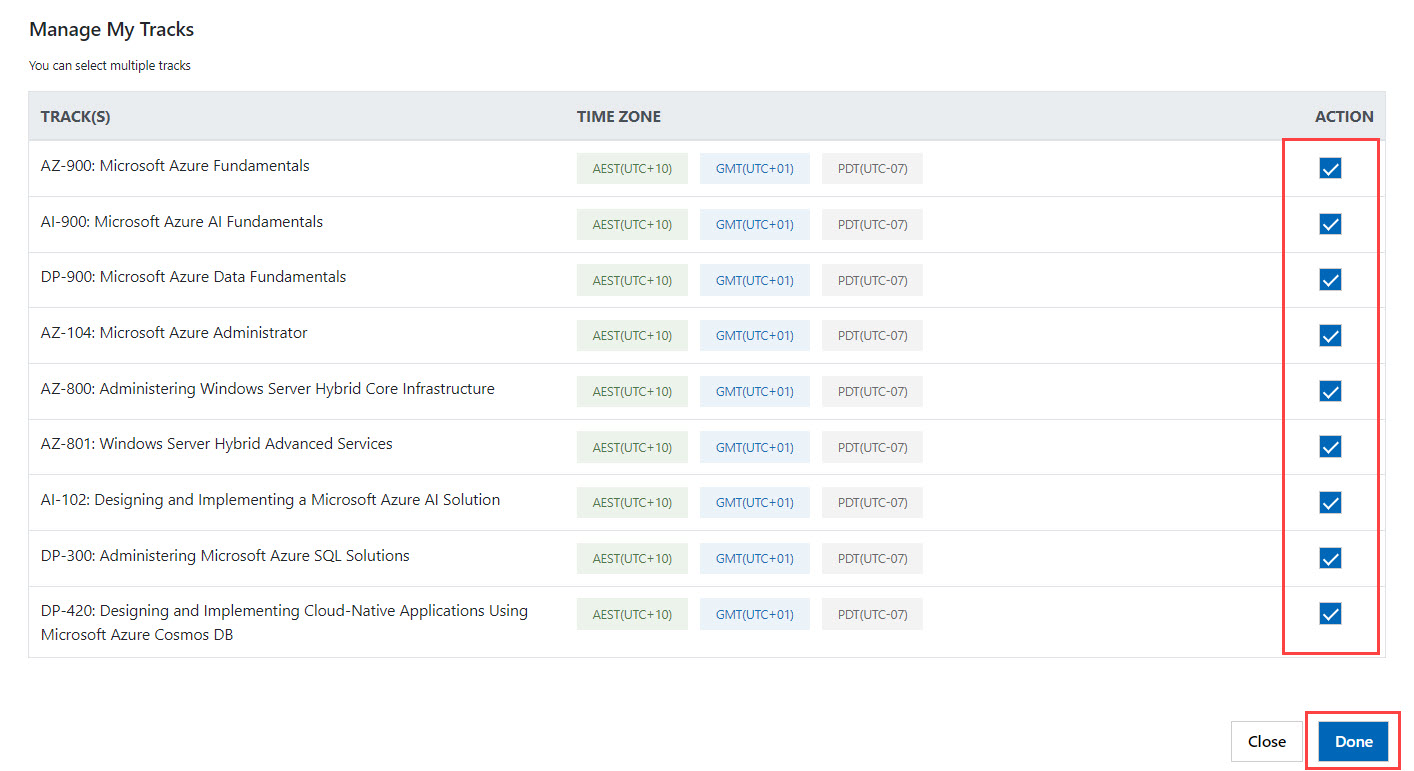
- Click on Manage My Tracks option present on the right side of My Tracks page.
- Manage My Tracks dialog box will be opened. It will list down all the available tracks for you to learn.
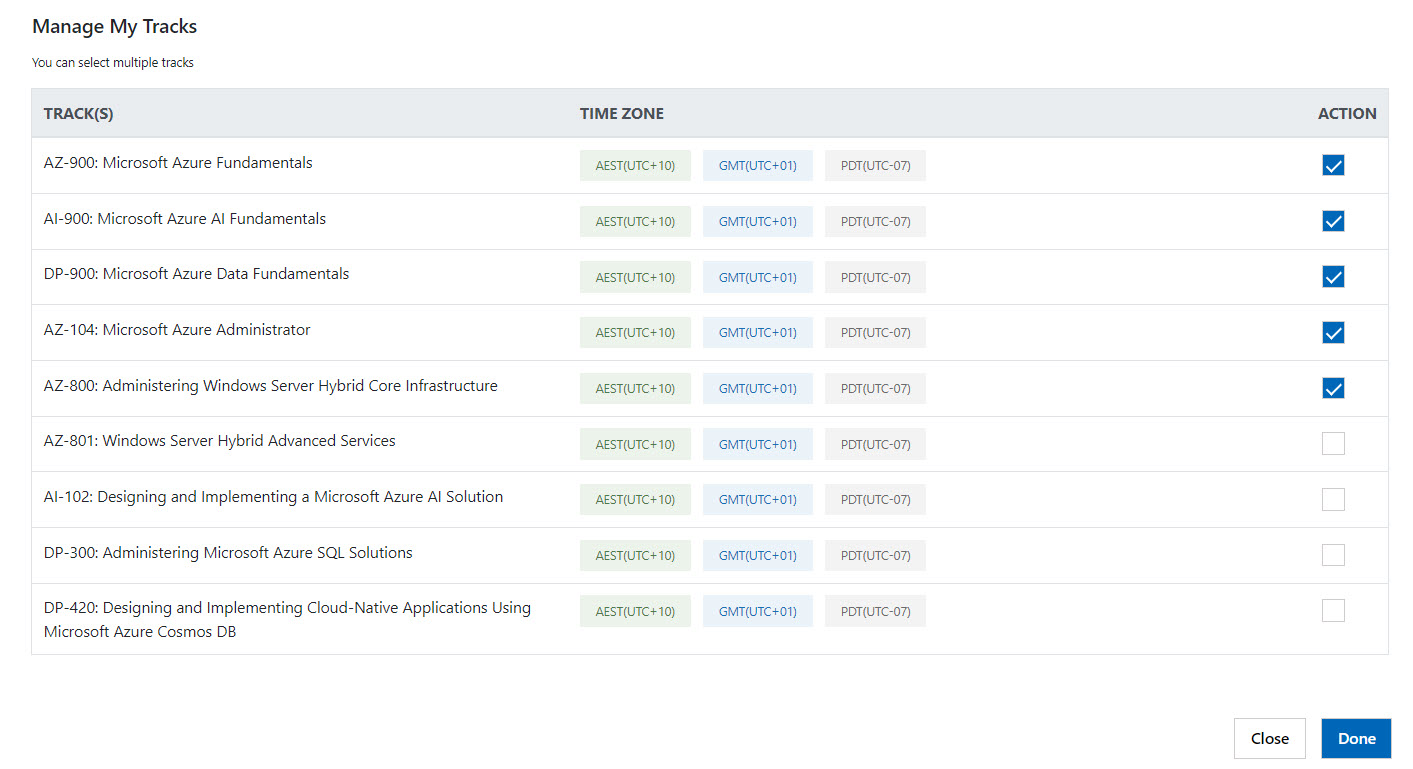
- Select the tracks that you want to learn and click on Done.
How to take the Knowledge Assessment?
- Click on Take Test button present in the Knowledge Assessment box. It will consist of 30 mins test to assess your knowledge.
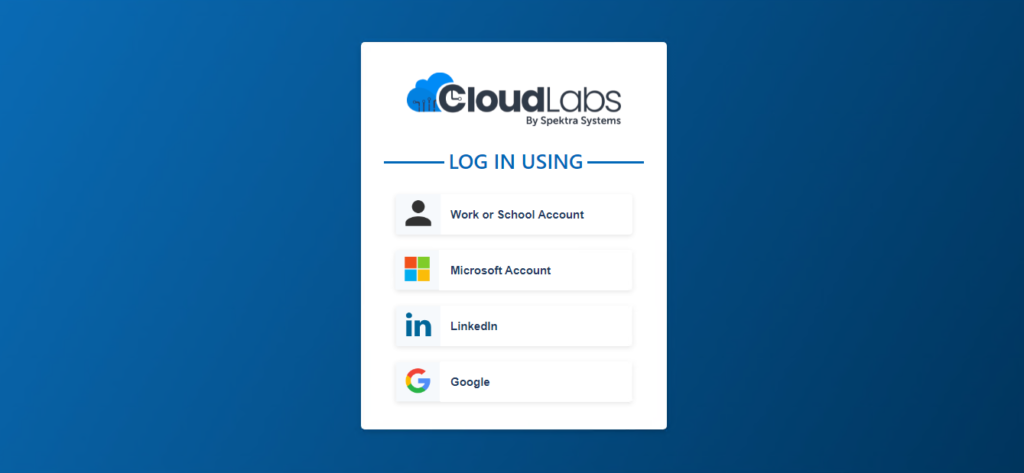
- CloudLabs portal will be opened.
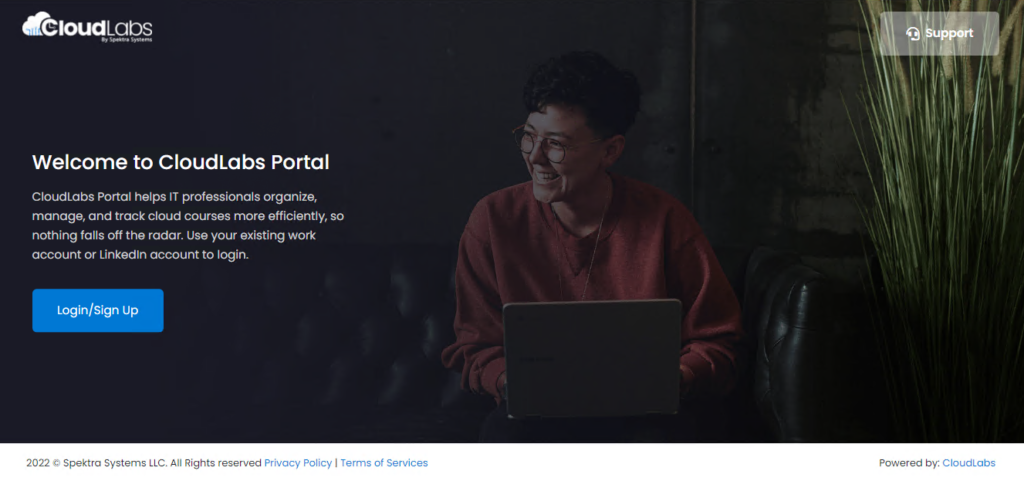
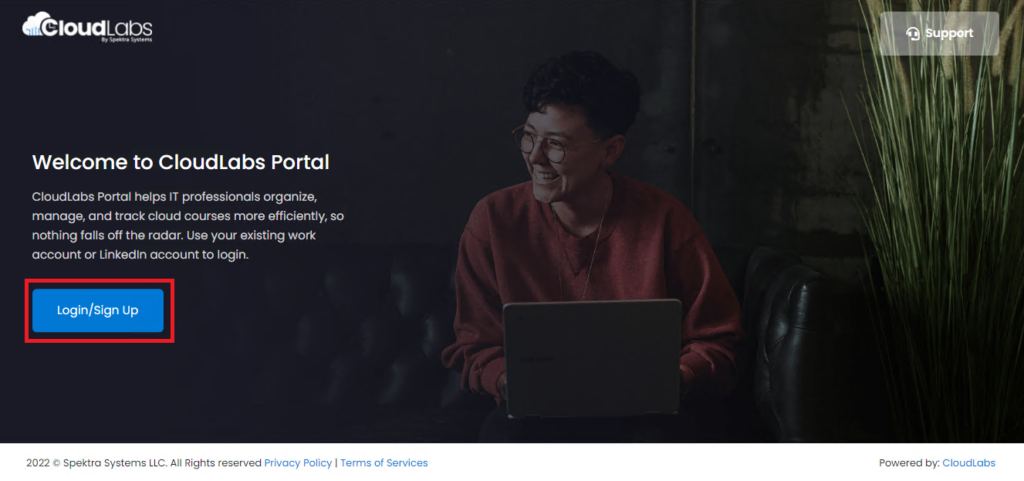
- Click on Login/Sign Up.
- Sign up using your Work or School Account.
NOTE: You must login with the same email that you used during the sign up process.
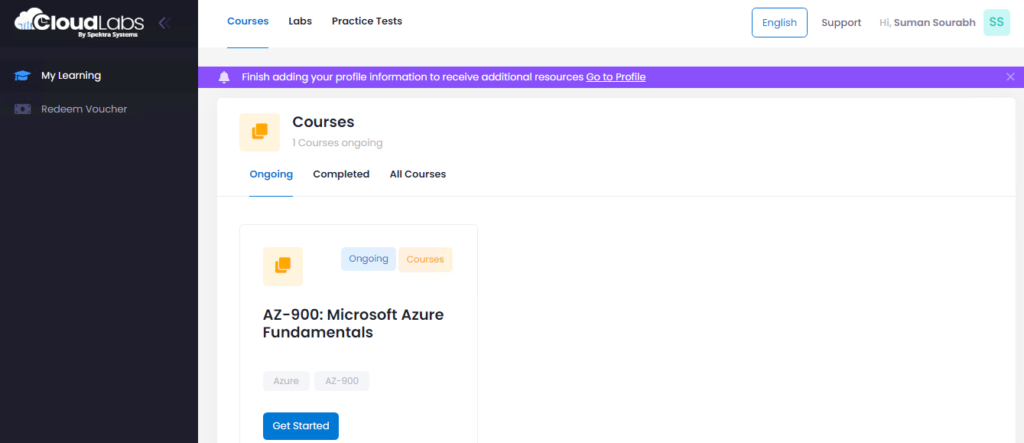
- My Learning tab in CloudLabs portal will be opened. The courses that you have selected for the event will be displayed here.
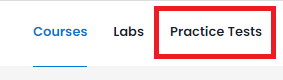
- Click on Practice Tests option present on the top menu.
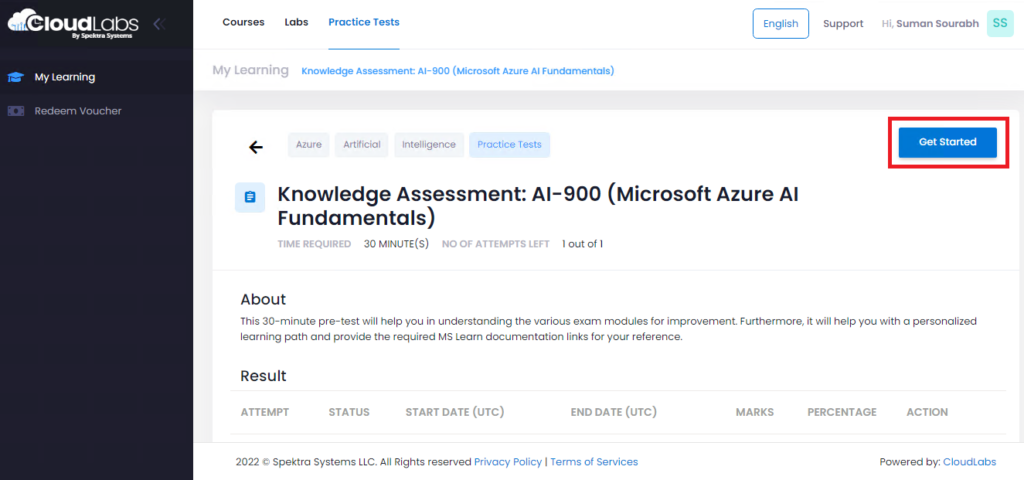
- Practice Tests window will be opened displaying a Knowledge Assessment. Click on Get Started to start the 30-minute test.
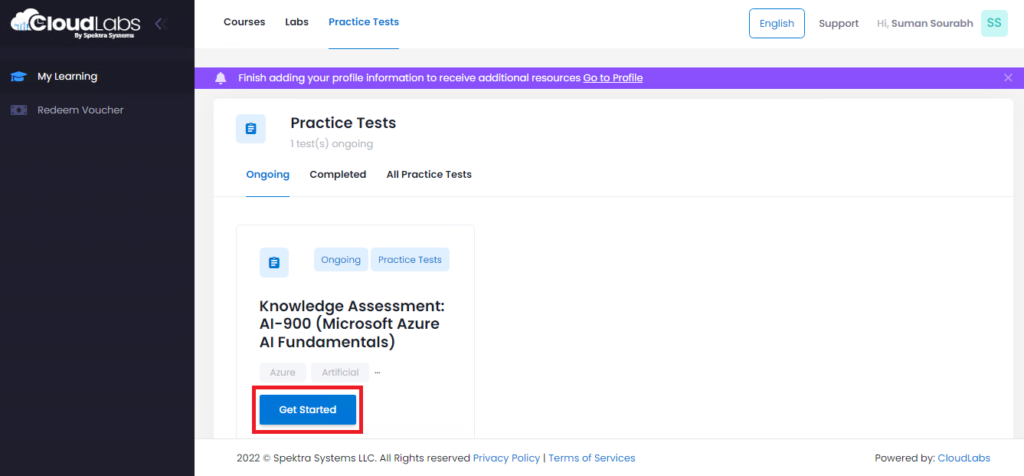
- Click on Get Started again.
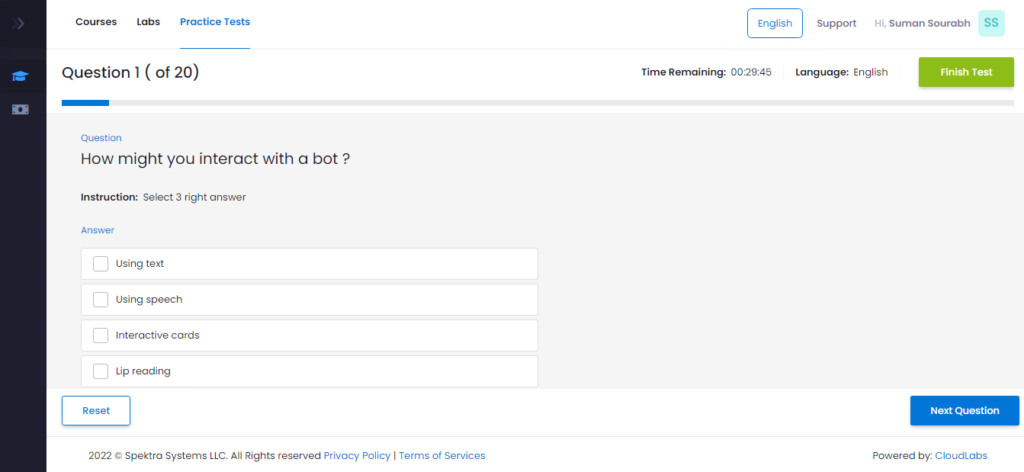
- The Knowledge Assessment will be started, and the window will display one question at a time. Navigate between the questions by clicking on Previous Question and Next Question buttons at the bottom right of the window.
Once you complete the test, click on Finish Test on the top right to confirm your answers.
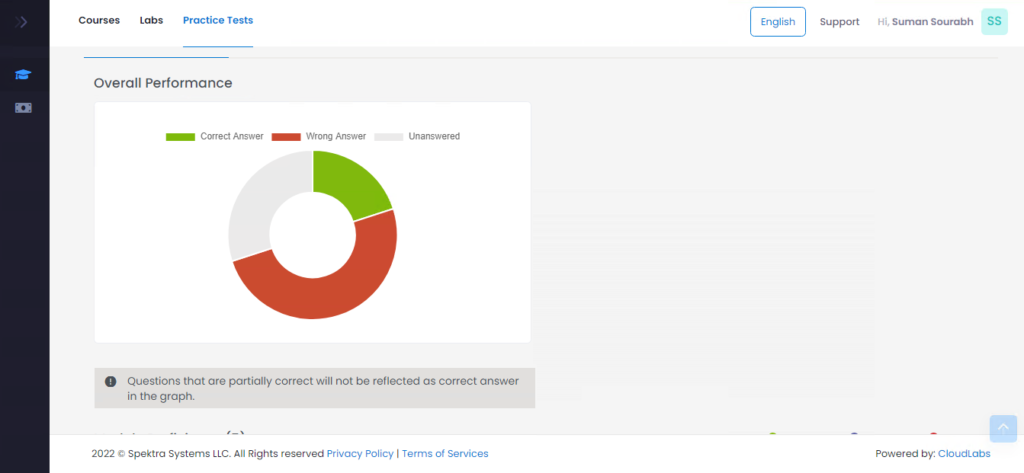
- Once you finish the test, a report of your performance will be generated.
How to take practice tests?
Below are the steps to take the practice tests: -
- In My Tracks page, navigate to the Practice Test section and click on Take Test.
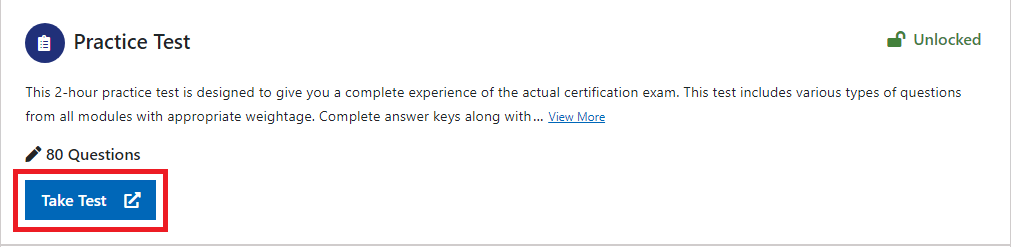
- The link will redirect you to the CloudLabs portal. Under the My Learning page, the practice test tab will be opened. It will show all the eligible practice tests that you can take.
The procedure to take the practice tests follows the same procedure of the knowledge assessment.
Do note, this 2-hour practice test is designed to give you a complete experience of the actual certification exam. This test includes various types of questions from all modules with appropriate weightage. Complete answer keys along with their explanations and reference links will be provided at the end of the test.
What is a cram session?
A cram session is a 4-hour live Instructor-led session that will be hosted by industry experts, MCTs, and MVPs. Attendees who join this session will receive perspective guidance based on their knowledge assessment and practice test reports. It will be available in 3 time zones and will take a technical deep dive into the course you choose.
How to join a cram session?
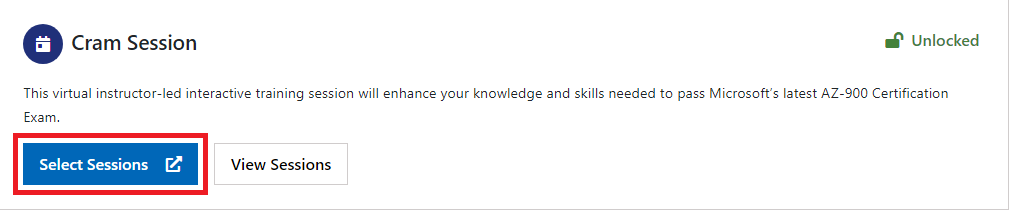
- In My Tracks page, navigate to the Cram Session section and click on Select Sessions.
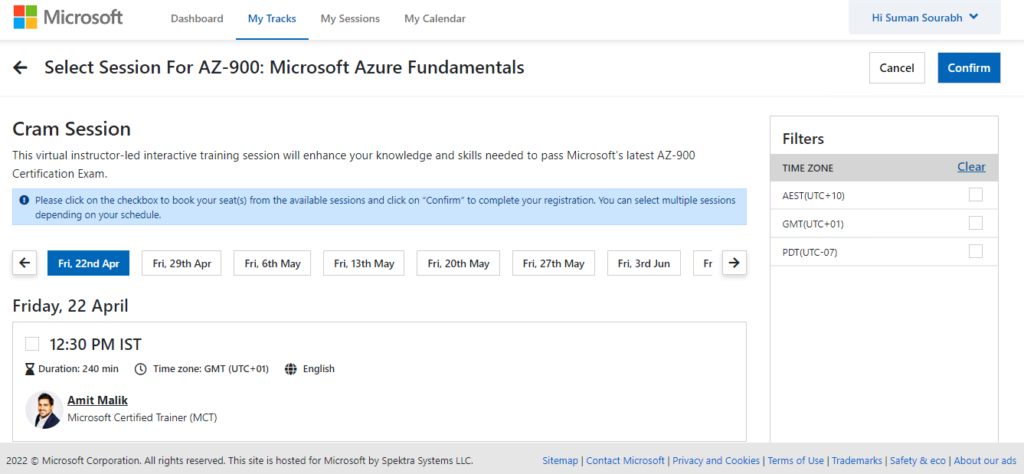
- The Cram Session window will be opened.
The page will display multiple dates and timings for the cram session available for a dedicated course.
On the right side of the window, different time zones will be displayed. Users can choose any time zone based on their preference.
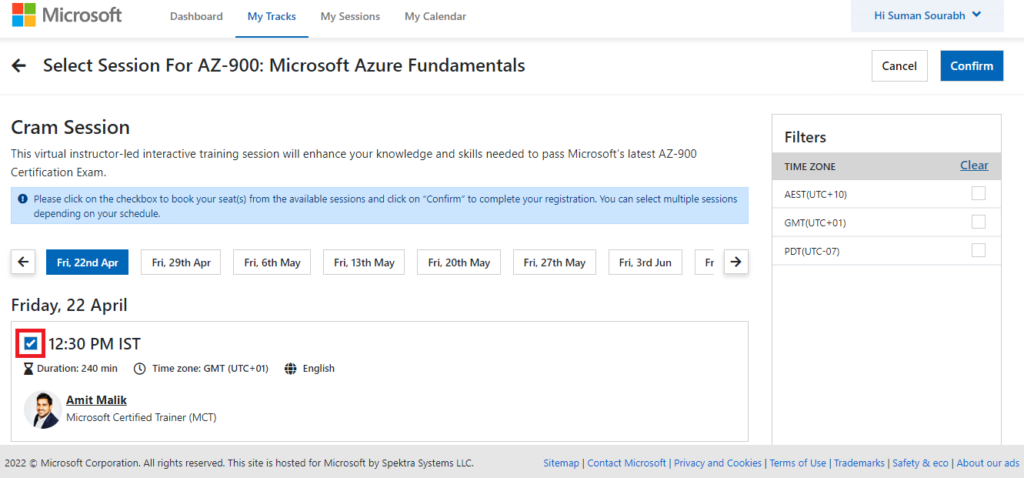
- To select a session, check mark the tick box.
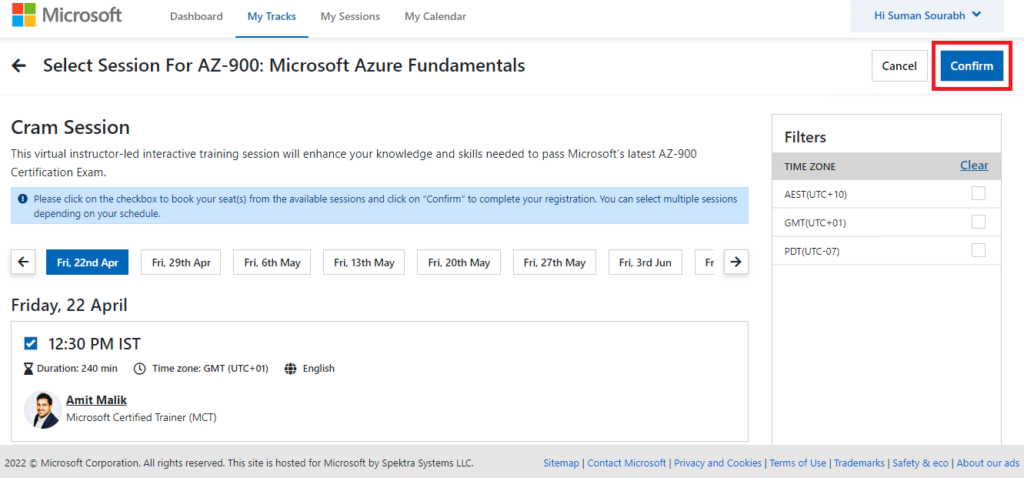
- Once you have selected the session, click on Confirm.
Click Cancel if you don’t want to select a session.
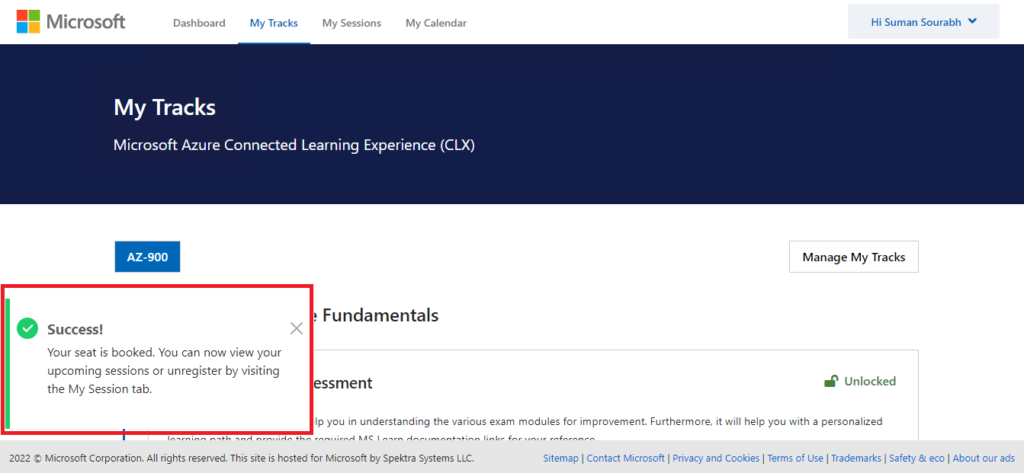
- Once you have clicked on Confirm, you will be redirected to the My Tracks page and a success pop-up message will be displayed.
How to view registered sessions?
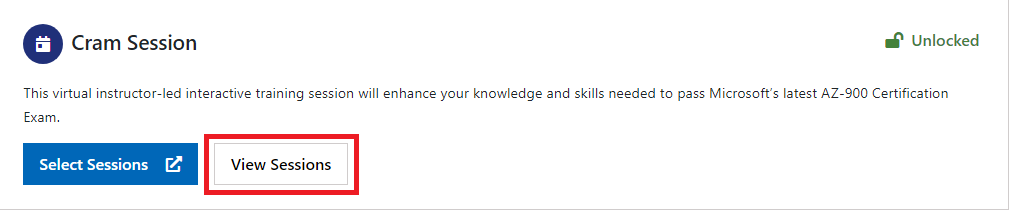
- In My Tracks page, navigate to the Cram Session section and click on View Sessions.
- My Sessions page will be opened.
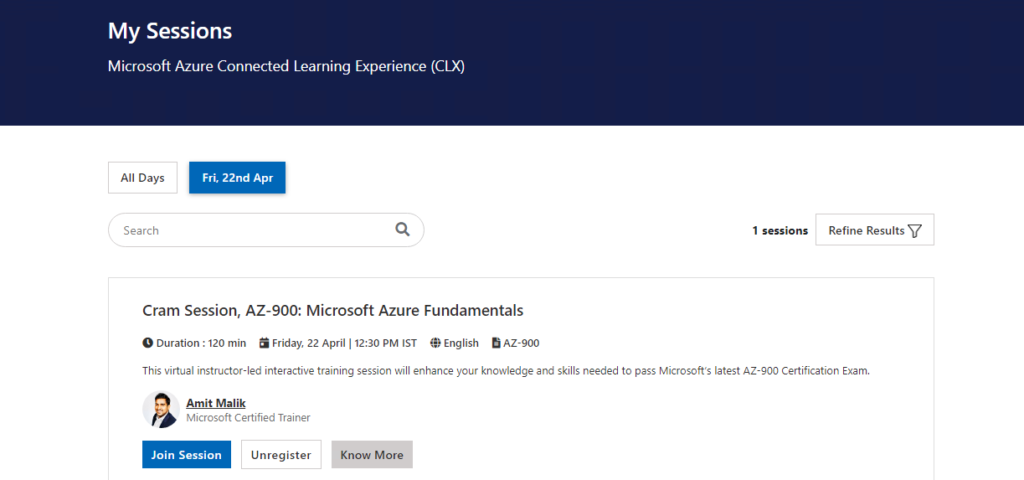
This section will display all the registered sessions that you have selected.
- You can join the session by clicking on Join session.
- You can also unregister for a session by simply clicking on Unregister.
- To know more details about the cram session, you can click on Know More.
Get exam ready today!
Microsoft CLX program aims to help learners to prepare for the Microsoft Azure certifications in a robust and efficient way.
We believe connected learning will be an ideal educational model because it helps all learners and professionals aspiring to get MS certification, achieve success. It introduces a more efficient learning path for exam readiness. Also, connected learning models give trainers more opportunities to create memorable learning experiences.
Aspiring learners and professionals can test their knowledge with the help of knowledge assessments, prepare for the exam using MS Learn study materials, take the practice tests to get exam ready, and join the cram sessions to get proper guidance from a variety of expert speakers.
Register yourself for the Microsoft CLX program right now at https://aka.ms/azureclx
For program related queries, reach out: cloudlabs@spektrasystems.com
 Education Migrate From Azure Lab Services Without Breaking Student Experience Azure Lab Services is all set to retire on June 28th, 2027.
  Azure What Happens After Azure Lab Services Retires in 2027? Azure Lab Services has been the go-to platform for educators, IT trainers, and enterprise teams for years, delivering hands-on virtual labs with simplicity...
  Azure Azure Lab Services Is Retiring: What It Means for You? Azure Lab Services is retiring. Here's what it means for educators and training teams, the key timelines, and how to plan your migration to an alternative.