The Most Feature-Rich Azure Lab Services Alternative for 2025
As cloud-based learning becomes central to technical education, workforce development, and enterprise skilling, the need for robust, scalable, and...

As cloud-based learning becomes central to technical education, workforce development, and enterprise skilling, the need for robust, scalable, and customizable lab environments has never been greater. For years, Azure Lab Services (ALS) offered a simple entry point into virtual labs. However, Microsoft has officially announced the complete retirement of Azure Lab Services by June 28, 2027, restricting new user onboarding post July 15, 2024. Existing ALS users are recommended to plan a swift migration to avoid service disruptions.
Even though there’s an urgent need for current users to move to a new platform, many are still waiting. Some aren’t sure how much work it will take, others worry about setting up their labs again, and many don’t know what benefits the new platform offers. But waiting too long can cause problems. A rushed move at the last minute can disrupt training, make migration messy, increase IT workload and costs, and interrupt learning for students or employees.
However, waiting too long can be risky, as last-minute transitions can lead to disrupted training programs, scrambled platform migrations, increased IT overhead, unplanned costs, and loss of continuity for students or employees.
CloudLabs steps in as a premium, Microsoft-recommended alternative, built for scale, equipped with enterprise-grade controls, ready-to-deploy lab templates, and scalable infrastructure that supports everything from boot camps to global skilling initiatives. Most importantly, CloudLabs offers a proven, low-friction migration path that helps institutions and enterprises make the switch without downtime or complexity.
Key Differences Between CloudLabs VM Labs and Azure Lab Services
CloudLabs VM Labs, as a Microsoft-recommended Azure Lab Services alternative, continues to share multiple common concepts and workflows with the latter. However, several key differences help the duo stand out from each other. The following table provides a comprehensive overview of the particulars, clearly explaining why transitioning to VM labs is the best option at present.
| Feature | Azure Lab Services | CloudLabs VM Labs |
|---|---|---|
| In Lab Settings | ||
| User Experience & Access | No built-in browser-based access. Users must connect via native RDP/SSH clients. | Features native RDP/SSH over HTTP(s), allowing users to connect to their VMs directly from a web browser without any plugins or client software, simplifying access. |
| Lab Type | Only supports persistent lab environments. Each user is assigned a dedicated VM that persists until the lab deletion/expiry. | Supports both persistent and non-persistent environments. Non-persistent VMs are automatically deprovisioned at the end of a session, reducing costs. Users get a fresh VM upon relaunch. |
| Multi-VM Environment | Only supports a single VM per lab environment. | A single lab can hold up to 5 VMs simultaneously, each with its own unique configuration, which is helpful for scenarios requiring multiple interconnected VMs (e.g., domain controllers, application servers, clients). |
| Image Capture | Requires a more complex process. Capturing an image often involves extra steps and dependencies. | Offers superior flexibility. You can capture all images from the template VM, enabling customization & workflow provisioning. |
| VM SKU Flexibility | Limited to a curated list of default VM sizes. Customization of core VM specs (e.g., vCPU, RAM) or disk types is not supported. | Admins can define custom VM SKUs with precise combinations of vCPUs, memory, GPU, disk type (HDD/SSD), and disk size, tailoring cost and performance to exact lab requirements. |
| Lab Creation Time | Lab creation can be a slow process, potentially delaying setup by up to 20 minutes. | Lab gets created in real-time, with no waiting time for users. |
| Lab Publishing | Labs must be explicitly published by an admin before users can access them, which can take up to an hour. | No need to publish labs; they are instantly available after setup. |
| Post-Creation Lab Edits | Does not support editing key properties like lab name, expiry, or user quota after the lab has been created. | Supports editing the lab name, expiry date, and user quota even after the lab has been created. |
| Lab Access Control | NA | Offers controls for administrators to set lab capacity and manage lab access. |
| Lab Registration | Registration links are supported. | Labs can be easily redeemed by users via a registration code. |
| Lab Expiry Management | NA | Offers an option to set explicit expiry dates for labs. |
| Post-Creation Template Changes | Not supported; the template VM image and SKU cannot be changed after lab creation. | Supports changing the template VM image and SKU even after the lab has been created. |
| Lab Lifecycle Tracking | NA | Supports filtering labs by status (Active, Expired, Deleted) for easy tracking and management. |
| Advanced Controls | ||
| Management Structure | Labs are managed under a Lab Plan or Lab Account, which are entities that control global settings for all contained labs. | Uses a simplified, flat structure. The concepts of Lab Plans and Accounts have been removed; all global settings are managed at the tenant level. |
| User Access Requirements | Users require a Microsoft account to activate and access their lab. | Users can access labs with any type of identity (e.g., Azure AD, Personal Microsoft Account, LinkedIn, Google, etc.) as configured by the tenant, with no restrictions on account type. |
| VM Deployment & Management | Labs must be published by a lab admin on the VM Pool page before they can be assigned to users. This page is also used to manage all VM-related settings. | To better manage costs, labs are deployed on demand when lab users request them, replacing the "VM Pool" with "Lab Instances." All management features are retained on the Lab Instances page. |
| User Password Management | Provides an option for users to reset their password after their first login. | Does not offer a user self-service password reset. Instead, lab creators can configure the system to generate a unique, random password for each user, which is then provided to them directly. |
| Scheduling | Offers scheduled events to start up and/or shut down all VMs in a lab at a specified time. | Supports multiple schedule types, including enabling/disabling lab access, starting/stopping VMs, and provisioning VMs. |
| User Synchronization | Supports synchronizing users from Azure AD groups. | Provides more granular control over user sync. Supports syncing from groups, plus the ability to scope synchronization using Administrative Units for precision. |
| Instructor Monitoring | Does not support real-time instructor monitoring of user sessions. | VM Shadow support enables instructors to view any user's active VM session in real-time, providing guidance and monitoring progress. |
| Monitoring & Logging | Offers limited built-in monitoring capabilities. | Provides detailed activity and usage logs for all VMs and at the global settings level for administrators. |
| Smart Cost Optimization | ||
| Cost Reporting & Billing | Integrated directly into Azure Billing and Cost Management. | Provides detailed Power BI reports for cost tracking per user and lab, offering visibility into both managed and non-managed resource usage on a monthly basis. |
| Idle Timeout Settings | It can be set at the lab plan level, but it cannot be enforced universally across environments. | Idle timeout can be enforced globally, ensuring resource optimization. |
| VM Uptime Quota | Allows the allocation of lab hours to each user outside of scheduled events. | Offers an optional "Restrict VM Uptime" setting. If enabled, this applies a hard limit on user VM access time, including during scheduled events. |
CloudLabs VM Labs Advantages over Azure Lab Services
CloudLabs VM Labs: a Microsoft-recommended alternative to Azure Lab Services, offers all the most loved features, and we have added more:
Seamless In-Lab Settings
- Flexible Lab Types: Supports both persistent and non-persistent labs, reducing costs with fresh VMs per relaunch.
- Multi-VM Support: A single lab can hold up to 5 VMs simultaneously with their own unique configurations. It can be for scenarios that need multiple interconnected VMs (e.g., domain controllers, application servers, clients).
- Easy Image Capture: You can capture both generalized and specialized images directly from the template VM, significantly simplifying the image customization and provisioning workflow.
- Custom VM SKUs: Define precise combinations of CPU, memory, GPU, and disk type/size for tailored performance and cost.
- Instant Lab Creation: Labs spin up immediately with no waiting time.
- Zero Publishing Delay: Labs are instantly available without requiring admins to publish them.
- Editable Labs: One can modify the lab name, expiry, and user quota even after creating them.
- Quick Registration & Access Controls: Users join via simple registration codes. Admins can manage lab capacity and user access directly.
- Expiry Management: Set explicit lab expiry dates for better lifecycle management.
- Flexible Templates: Update the VM image or SKU even after the lab is created.
- Lifecycle Tracking & Simplified Management: Filter and track labs by status (Active, Expired, Deleted). No lab plans/accounts overhead; flat tenant-level structure.
Advanced Controls
- Flexible Identities: Users log in with Azure AD, Microsoft, Google, LinkedIn, etc.
- On-Demand Deployment: Labs are deployed on demand, on the lab users’ request, replacing the “VM Pool” with “Lab Instances,” facilitating better cost management. All management features are retained on the Lab Instances page.
- Secure Passwords: Lab creators can configure the system to generate a unique, random password for each user, which can be shared with them directly.
- Advanced Scheduling & Granular User Sync: Multiple schedule types for access, VM provisioning, and lifecycle. Sync users from Azure AD with fine control via administrative units.
- Instructor Monitoring: Real-time VM shadowing for instructors to view student sessions.
- Comprehensive Logging: Detailed activity and usage logs at VM and global levels, ensuring complete flexibility and control on the admin’s front.
Smart Cost Optimization
- Detailed Cost Reports: Power BI dashboards with per-user and per-lab cost insights, ensuring end-to-end monitoring of deployed and non-deployed resources.
- Global Idle Timeout: Enforce idle timeout settings universally for cost optimization and greater output.
- VM Uptime Limits: Option to restrict total VM access hours, even during events, assures our transparent pricing policy: you only pay for what you use.
Why CloudLabs?
According to a Microsoft-led survey on business trends – data from 2,700 employees and 1,800 business decision-makers in the United States, United Kingdom, and Japan -across various job functions, revealed ways technology is — or is not — helping individuals do their job.
The report also stated how,
“Employees are looking for tools that enable collaboration seamlessly, automate repetitive work, and guide with insights, and that can be customized for specific business challenges.”
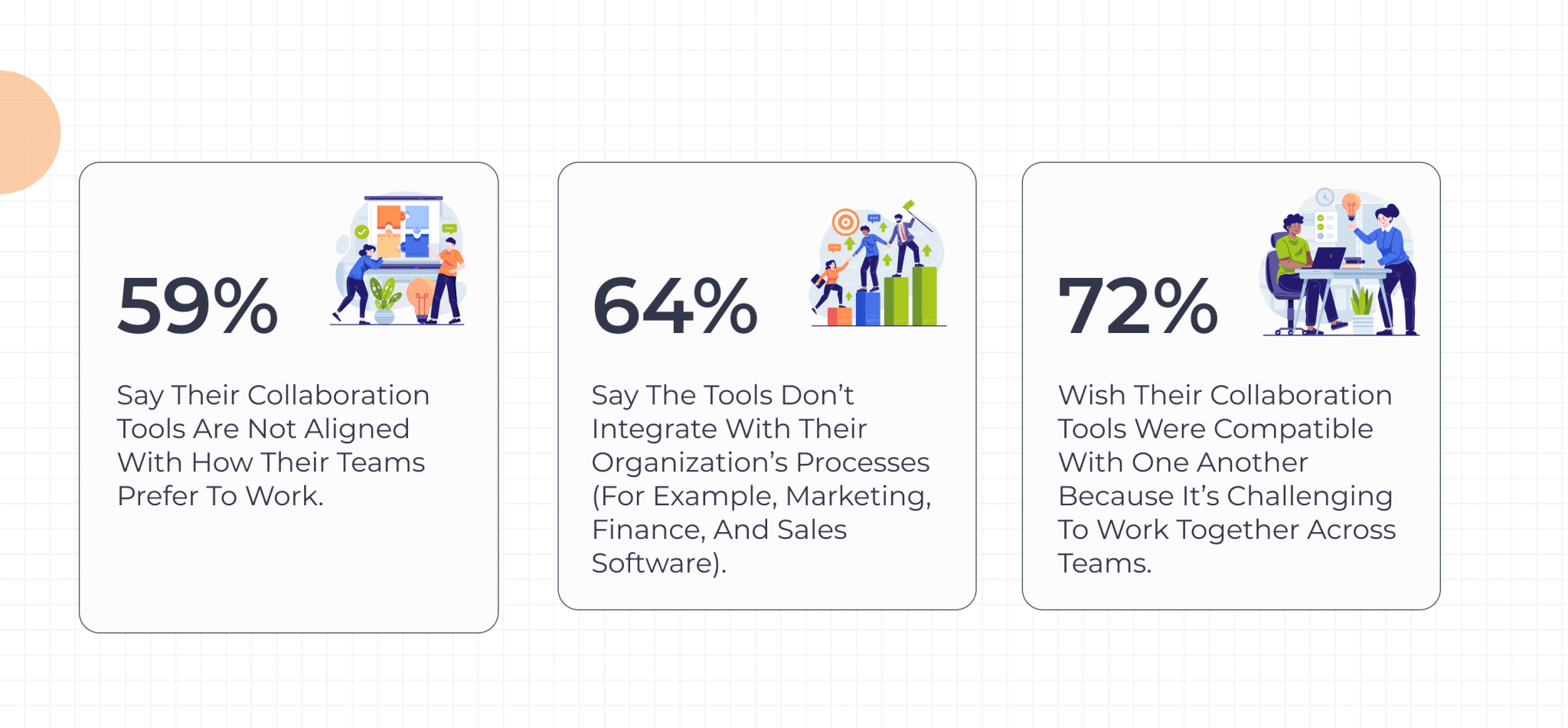
CloudLabs VM Labs, a Microsoft-recommended alternative to Azure Lab Services, so far has proven to be a streamlined solution for creating and distributing VM labs at scale. Designed for both education and training, CloudLabs VM Labs comprises all the important features that you loved about Azure Lab Services, and we have added more. Our platform stands out in terms of ease of use, enabling seamless cross-team collaboration backed by swift automation and scheduling, exclusively compatible with various use cases.
Below, we have compiled a comprehensive list of CloudLabs VM lab features that make a difference, enabling ease of use, hands-on management, ensuring security, and quick query resolution.
Ease of Use
- Seamless User Experience: Invite users over email or redeemable codes. Once signed in, participants gain immediate access to virtual labs, backed by zero software dependencies.
- Direct Web Connect: Each VM lab is directly available over the web, using a browser of your choice, without downloading any additional software.
Hands-on Management
- Customization on Request: Gain access to easy-to-deploy, hands-on labs compatible with Windows and Linux-based OS, customized to meet organization-specific requirements.
- Detailed Reports: Track cloud fees, in accordance with deployed templates, active labs, and participant-specific credit usage. Also, set budgets or receive alerts as an admin or lab creator.
- Shadow VM: Lab instructors and administrators can monitor or provide feedback by directly connecting to participants’ VMs using the Shadow VM feature.
- Lab Level Co-Admin Role: A Co-Admin enjoys nearly full administrative privileges over any assigned lab. They can provision virtual machines, configure the template VM, update lab configurations, and add users to the lab. However, a Co-Admin will not be able to decommission the lab or create a new one.
- Audit Logs to View Selected Events: Get detailed overviews of events and activities within a particular lab environment. These help track user actions, monitor operations, and ensure the smooth functioning of lab resources.
Advanced Platform Settings
- Compute Gallery: Save all custom-created, migrated, and updated VM images in CloudLabs VM Labs’ Compute Gallery. A centralized repository to manage custom VM images that are otherwise not available in the standard marketplace.
- Visibility of Image Definition Names: VM deployment and management have just gotten better with the visibility of image definition names. Access direct mapping between custom image names utilized within CloudLabs Portal and their corresponding image definition names in the Azure portal. This improves transparency, simplifying image management and enabling the quick identification of an image definition linked to each custom image.
- Clone a Lab: Create an exact duplicate of an existing lab, inclusive of its configurations. This feature comes extremely handy, reducing setup time for similar lab environments and eliminating manual configurations.
End-to-End Security:
- Fully Compliant: CloudLabs VM Labs follows top global security standards like ISO, GDPR, and SOC, making sure your data stays private and protected at all times.
Seamless Assistance
- 24/7 Technical Support: Dedicated professionals from CloudLabs are available 24/7, offering real-time support with VM labs-related technical issues.
- Multi-lingual Support: Available support and localization services in English, Spanish, French, German, Italian, and more provide a seamless experience.
Introducing $2K CloudLabs Credit Program
On popular demand, CloudLabs is offering $2,000 in Azure Credit to eligible customers, which covers both platform and infrastructure usage costs. The credit system is applicable across all types of VM Labs usage, allowing organizations to get started immediately, with no upfront costs. There’s more to the list, and we’re happy to share.
- Enterprise-ready from day one. No feature gating, no demo/ trial limitations. You get to start immediately after completing the migration of your existing labs.
- Exclusively for organizations transitioning from Azure Lab Services. You’ll experience a seamless transition with CloudLabs. You can always bring your own subscription or use ours, without interrupting your current workflow.
Wrapping up
The retirement of Azure Lab Services marks a critical inflection point for organizations relying on cloud-based lab environments. With Microsoft ending new user onboarding by July 15, 2024, and full retirement set for June 28, 2027, the need for a proactive transition plan is no longer optional, it’s essential.
While some users are hesitant to move due to concerns about migration complexity or uncertainty around alternatives, the risk of last-minute disruption is far greater. Delayed action could result in downtime, lost productivity, training gaps, and increased overhead.
CloudLabs offers a future-ready, Microsoft-recommended solution designed to handle the scale, customization, and control that today’s training and skilling programs demand. Whether you’re running academic programs, enterprise bootcamps, or innovation hackathons, CloudLabs offers the tools, templates, analytics, and support needed to deliver a seamless learning experience.
With a robust feature set, enterprise-grade security, full Azure backend compatibility, and a $2,000 CloudLabs Credit Program, organizations have everything they need to migrate confidently, without complexity or compromise.
The future of cloud-based labs is already here. Let CloudLabs help you lead it. Book a demo today!
FAQs
-
Why should we start planning our Azure Lab Services migration now?
Microsoft will retire Azure Lab Services on June 28, 2027. While that may seem far away, higher education institutions typically plan around academic calendars rather than retirement deadlines. To ensure a seamless transition, book your free trial and start evaluating CloudLabs VM Labs in time for the upcoming September 2026 semester. This gives your IT team enough time to validate lab environments, gather faculty feedback, and optimize Azure costs before production rollout. Then, revalidate your deployment before the January 2027 semester to ensure everything continues to run smoothly.
-
How can we migrate without disrupting classes?
CloudLabs follows a structured migration approach that includes lab assessment, pilot testing, and deployment. This helps institutions transition with minimal disruption while keeping teaching and learning on track.
-
Do we need to rebuild all of our existing labs?
In many cases, no. CloudLabs works with your team to evaluate existing VM images and lab environments so you can preserve as much of your current investment as possible while planning your migration.
 Education Fall 2026 Checklist for Universities: Are Your Virtual Labs Ready for the Next Semester? As universities prepare for the Fall semester 2026, lab readiness becomes a priority.
 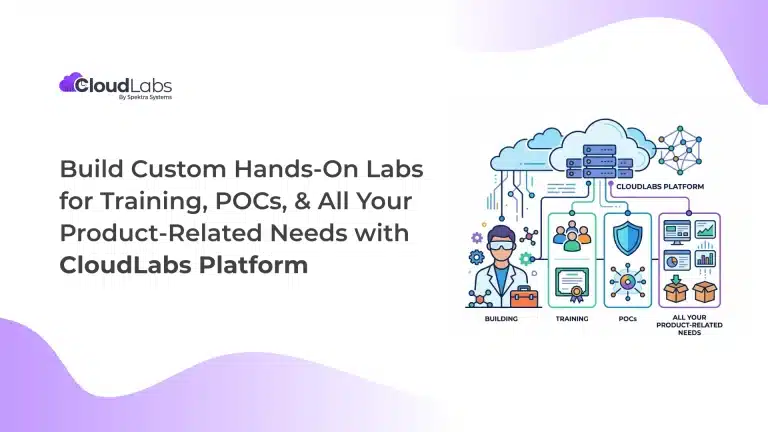 Hands-on labs Build Custom Hands-On Labs for Training, POCs, and All Your Product-Related Needs with CloudLabs Platform Build on-demand, custom hands-on lab environments with the CloudLabs platform for product training, POCs, demos, certification, and team enablement.
  Education Migrate From Azure Lab Services Without Breaking Student Experience Azure Lab Services is all set to retire on June 28th, 2027.